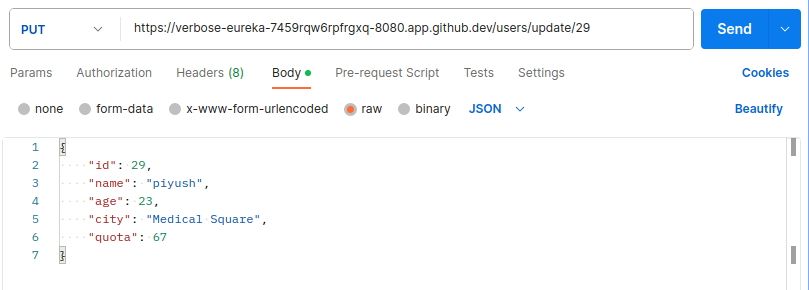
CalcController.java
package com.javatest.demo;

import org.springframework.web.bind.annotation.DeleteMapping;
import org.springframework.web.bind.annotation.GetMapping;
import org.springframework.web.bind.annotation.PostMapping;
import org.springframework.web.bind.annotation.PutMapping;
import org.springframework.web.bind.annotation.RequestBody;
import org.springframework.web.bind.annotation.RequestMapping;
import org.springframework.web.bind.annotation.RequestParam;
import org.springframework.web.bind.annotation.RestController;

class MyCalc {
    private int num1;
    private int num2;

    public int getNum1() {
        return num1;
    }
    public void setNum1(int num1) {
        this.num1 = num1;
    }
    public int getNum2() {
        return num2;
    }
    public void setNum2(int num2) {
        this.num2 = num2;
    }

    @Override
    public String toString() {
        return "MyCalc [num1=" + num1 + ", num2=" + num2 + "]";
    }
}

@RestController
public class CalcController {


    @RequestMapping("test")
    public String test() {
        return "Testing....";
    }

    /** Read query params */
    @RequestMapping("mycalc")
    @GetMapping
    public String getMet(@RequestParam("num1") int x, @RequestParam int y) {
        return String.format("%s + %s = %s", x, y, x+y);
    }

    /** Read raw json data */
    @PostMapping("mycalc")
    public String postMet(@RequestBody MyCalc obj) {
        int x = obj.getNum1();
        int y = obj.getNum2();

        return String.format("%s - %s = %s", x, y, x - y);
    }

    /** Read form data */
    @PutMapping("mycalc")
    public String putMet(
        @RequestParam("num1") int x,
        @RequestParam("num2") int y) {
        return String.format("%s * %s = %s", x, y, x * y);
    }

    /** Read from raw json */
    @DeleteMapping("mycalc")
    public String deleteMet(@RequestBody MyCalc obj) {
        int x = obj.getNum1();
        int y = obj.getNum2();
        return String.format("%s / %s = %s", x, y, x / y);
    }

}
src/main/resources/application.properties
spring.datasource.url=jdbc:mysql://localhost:3306/<databasename>
spring.datasource.username=<username>
spring.datasource.password=<password>
spring.datasource.driverClassName=com.mysql.cj.jdbc.Driver
User.java (POJO/DAO/JPA)
package com.javatest.demo;

import jakarta.persistence.Entity;
import jakarta.persistence.GeneratedValue;
import jakarta.persistence.GenerationType;
import jakarta.persistence.Id;
import jakarta.persistence.Table;

@Entity
@Table(name="users")
public class User {
    @Id
    @GeneratedValue(strategy = GenerationType.IDENTITY)
    private Long id;
    private String name;
    private String age;
    private String city;
    private int quota;

    public Long getId() {
        return id;
    }
    public void setId(Long id) {
        this.id = id;
    }
    public String getName() {
        return name;
    }
    public void setName(String name) {
        this.name = name;
    }
    public String getAge() {
        return age;
    }
    public void setAge(String age) {
        this.age = age;
    }
    public String getCity() {
        return city;
    }
    public void setCity(String city) {
        this.city = city;
    }
    public int getQuota() {
        return quota;
    }
    public void setQuota(int quota) {
        this.quota = quota;
    }


    // getters and setters


}
UserController.java
package com.javatest.demo;


import java.util.List;

import org.springframework.web.bind.annotation.DeleteMapping;
import org.springframework.web.bind.annotation.GetMapping;
import org.springframework.web.bind.annotation.PathVariable;
import org.springframework.web.bind.annotation.PostMapping;
import org.springframework.web.bind.annotation.PutMapping;
import org.springframework.web.bind.annotation.RequestBody;
import org.springframework.web.bind.annotation.RequestMapping;
import org.springframework.web.bind.annotation.RestController;
import org.springframework.data.jpa.repository.JpaRepository;

interface UserRepository extends JpaRepository<User, Long> {
    // Custom queries can be defined here
}

@RestController
@RequestMapping("users")
public class UserController {

    private final UserRepository userRepository;

    public UserController(UserRepository userRepository) {
        this.userRepository = userRepository;
    }

    @RequestMapping("")
    public String index() {
        return "I am from index";
    }

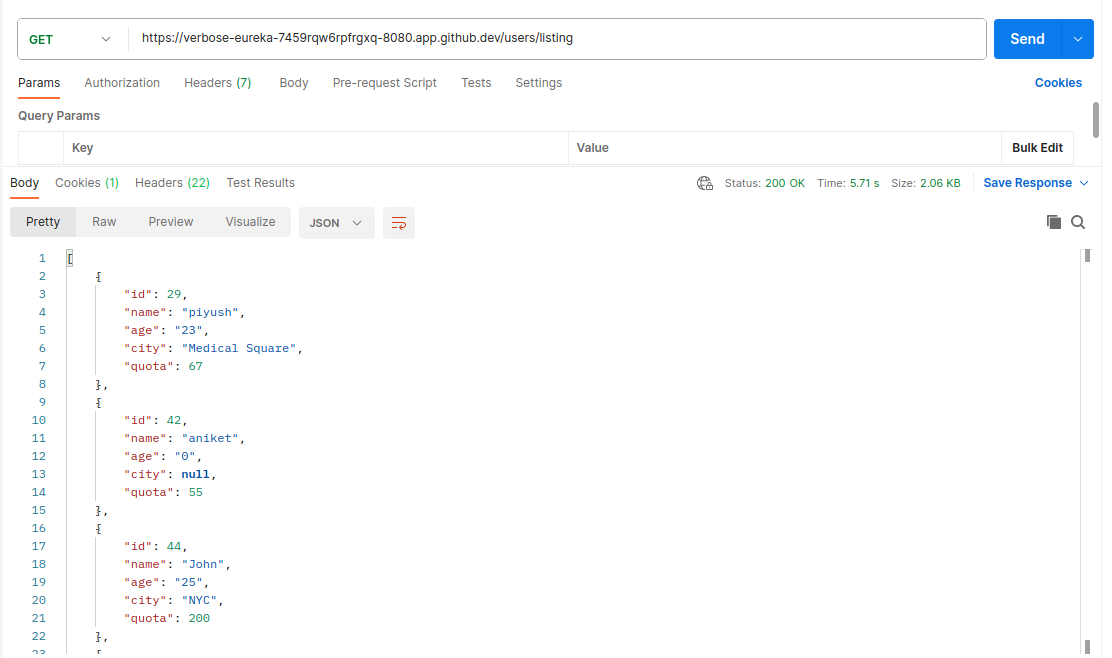
    @RequestMapping("listing")
    public List<User> listing() {
        // List<User> users = new ArrayList<>();
        return userRepository.findAll();
    }

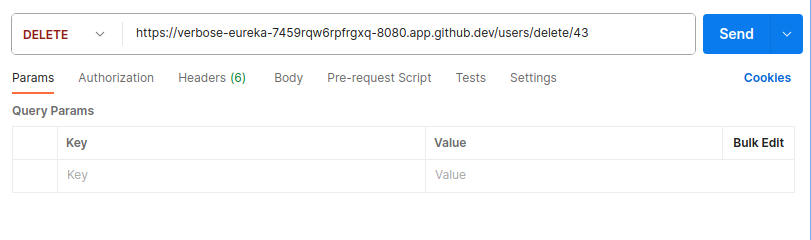
    @DeleteMapping("delete/{id}")
    public String deleteUser(@PathVariable Long id) {
        // Check if the user with the specified ID exists
        if (userRepository.existsById(id)) {
            userRepository.deleteById(id);
            return String.format("User %s is deleted successfully", id);
        } else {
            // Handle the case when the user does not exist (e.g., return an error response)
            // You can throw an exception or return an appropriate response based on your application's requirements.
        }
        return "";
    }

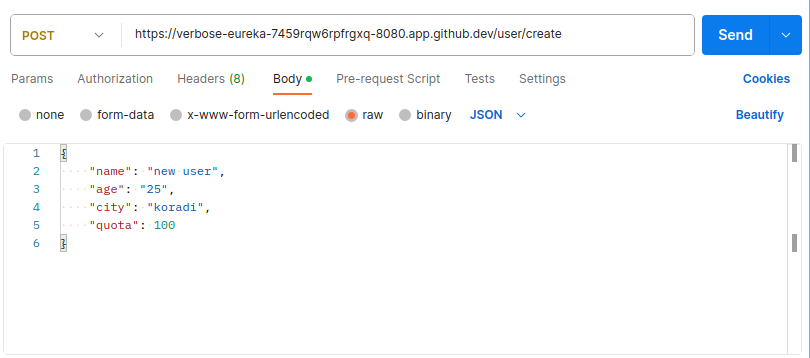
    @PostMapping("create")
    public User createUser(@RequestBody User user) {
        return userRepository.save(user);
    }


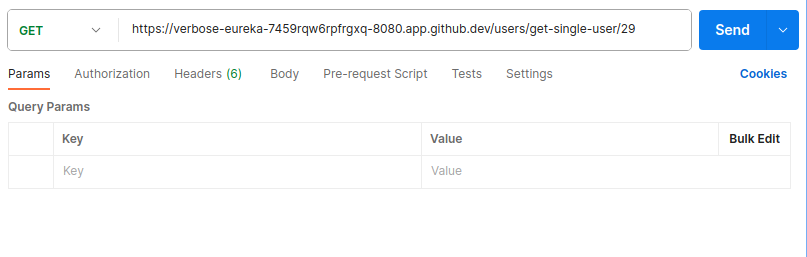
    @GetMapping("get-single/{id}")
    public User getUserById(@PathVariable Long id) {
        // Use the UserRepository to fetch the user by ID
        return userRepository.findById(id).orElse(null);
    }

    @PutMapping("/update/{id}")
    public User updateUser(@PathVariable Long id, @RequestBody User updatedUser) {
        // Check if the user with the specified ID exists
        userRepository.findById(id).orElse(null);

        // Set the ID of the updated user to the specified ID
        updatedUser.setId(id);

        // Save the updated user to the database
        return userRepository.save(updatedUser);
    }

}
DemoApplication.java (Run this file to serve spring boot application)
package com.javatest.demo;

import org.springframework.boot.SpringApplication;
import org.springframework.boot.autoconfigure.SpringBootApplication;

@SpringBootApplication
public class DemoApplication {

	public static void main(String[] args) {
		SpringApplication.run(DemoApplication.class, args);
	}

}
File Structure
.
├── HELP.md
├── mvnw
├── mvnw.cmd
├── pom.xml
├── src
│   ├── main
│   │   ├── java
│   │   │   └── com
│   │   │       └── javatest
│   │   │           └── demo
│   │   │               ├── CalcController.java
│   │   │               ├── DemoApplication.java
│   │   │               ├── User.java
│   │   │               └── UserController.java
│   │   └── resources
│   │       ├── application.properties
│   │       ├── static
│   │       └── templates
│   └── test
│       └── java
│           └── com
│               └── javatest
│                   └── demo
│                       └── DemoApplicationTests.java
└── target
    ├── classes
    │   ├── application.properties
    │   └── com
    │       └── javatest
    │           └── demo
    │               ├── CalcController.class
    │               ├── DemoApplication.class
    │               ├── MyCalc.class
    │               ├── User.class
    │               ├── UserController.class
    │               └── UserRepository.class
    └── test-classes
        └── com
            └── javatest
                └── demo
                    └── DemoApplicationTests.class

23 directories, 18 files
POC
VSCode Extesnsions
Spring Boot Web + JPA + MySQL
Got it ✅scratch , step by step, including MySQL dependency so you’re future-ready but you can still just run Hello World without DB config.
🚀 Spring Boot Hello World (with future MySQL support) in VS Code
1. Prerequisites
Check you have these installed:
java -version      # Java 17 or 21 recommended
mvn -v             # Maven installed
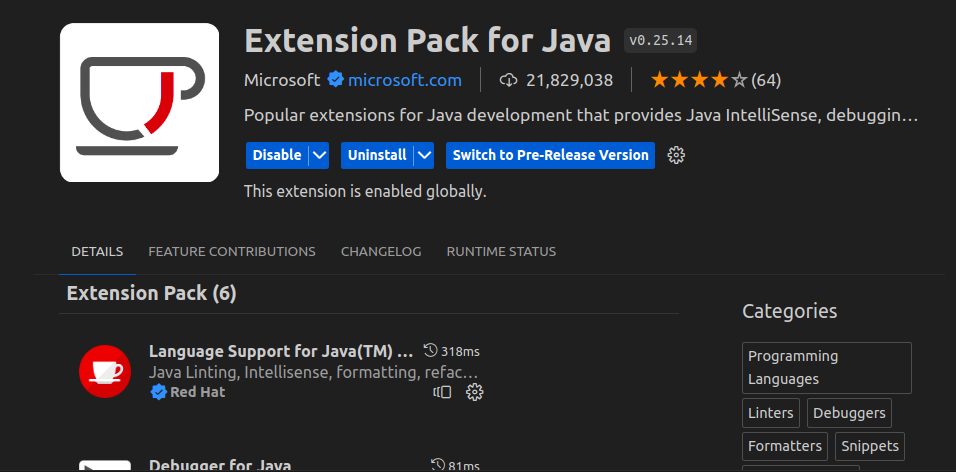
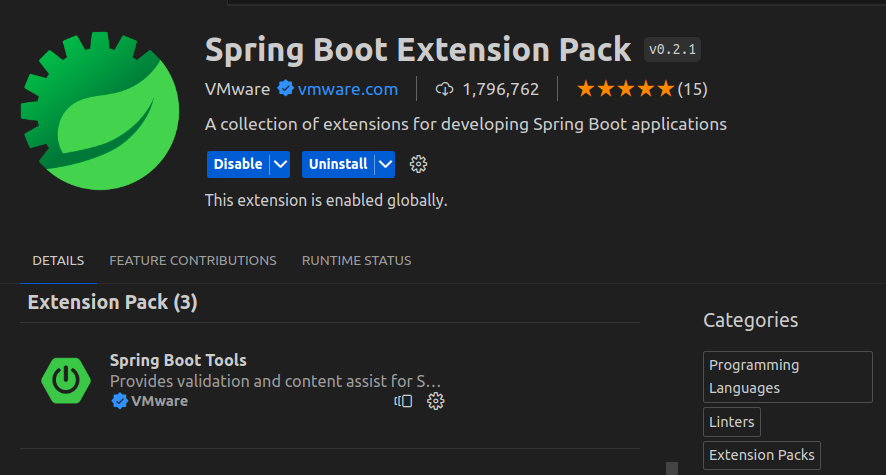
VS Code Extensions:
Extension Pack for Java Spring Boot Extension Pack (optional but helpful)2. Generate Spring Boot Project
Option A (VS Code)
Press Ctrl+Shift+P → search Spring Initializr: Create a Maven Project. Select:Spring Boot version : 3.x (latest)Project : MavenLanguage : JavaGroup Id : com.exampleArtifact Id : helloDependencies : Spring Web, Spring Data JPA, MySQL Driver It will create and open the project in VS Code. Option B (Browser)
Go to 👉 https://start.spring.io
Maven Project , Java, Spring Boot 3.xGroup: com.example Artifact: hello Dependencies: Spring Web, Spring Data JPA, MySQL Driver src/main/resources/application.properties
spring.datasource.url=jdbc:mysql://localhost:3306/your_database
spring.datasource.username=root
spring.datasource.password=your_password

spring.jpa.hibernate.ddl-auto=update
spring.jpa.show-sql=true
spring.jpa.database-platform=org.hibernate.dialect.MySQLDialect
3. Project Structure
You’ll see:
hello/
 ├─ src/main/java/com/example/hello/
 │   ├─ HelloApplication.java
 │   └─ controller/HelloController.java   (we’ll create)
 ├─ src/main/resources/
 │   ├─ application.properties
 ├─ pom.xml
4. Minimal pom.xml
Your pom.xml should contain (important part only):
<dependencies>
    <!-- Spring Web for REST APIs -->
    <dependency>
        <groupId>org.springframework.boot</groupId>
        <artifactId>spring-boot-starter-web</artifactId>
    </dependency>

    <!-- MySQL JDBC Driver -->
    <dependency>
        <groupId>mysql</groupId>
        <artifactId>mysql-connector-j</artifactId>
        <scope>runtime</scope>
    </dependency>

    <!-- JPA (for DB support in future) -->
    <dependency>
        <groupId>org.springframework.boot</groupId>
        <artifactId>spring-boot-starter-data-jpa</artifactId>
    </dependency>

    <!-- Testing -->
    <dependency>
        <groupId>org.springframework.boot</groupId>
        <artifactId>spring-boot-starter-test</artifactId>
        <scope>test</scope>
    </dependency>
</dependencies>
⚡ Even if MySQL is not configured, the app will still run fine.
5. Application Entry Point
Generated file → HelloApplication.java:
package com.example.hello;

import org.springframework.boot.SpringApplication;
import org.springframework.boot.autoconfigure.SpringBootApplication;

@SpringBootApplication
public class HelloApplication {

    public static void main(String[] args) {
        SpringApplication.run(HelloApplication.class, args);
    }
}
6. Create Controller
Create folder controller under com.example.hello.HelloController.java
package com.example.hello.controller;

import org.springframework.web.bind.annotation.GetMapping;
import org.springframework.web.bind.annotation.RestController;

@RestController
public class HelloController {

    @GetMapping("/hello")
    public String hello() {
        return "Hello World";
    }
}
7. Run the Application
In VS Code terminal:
mvn spring-boot:run
Or run HelloApplication.java directly via Run → Start Debugging .
8. Test in Browser / Curl
Visit:
http://localhost:8080/hello
Output:
Hello World
9. (Future) MySQL Connection Setup
When you’re ready to use MySQL, edit src/main/resources/application.properties:
spring.datasource.url=jdbc:mysql://localhost:3306/mydb
spring.datasource.username=root
spring.datasource.password=secret

spring.jpa.hibernate.ddl-auto=update
spring.jpa.show-sql=true
spring.jpa.properties.hibernate.dialect=org.hibernate.dialect.MySQL8Dialect
Then you can create Entity + Repository classes for DB operations.
10. Employee POJO / Repo / Controller
src/main/java/com/example/demo/Employee.java
package com.example.demo;

import jakarta.persistence.*;

@Entity
@Table(name = "employee")
public class Employee {

    @Id
    @GeneratedValue(strategy = GenerationType.IDENTITY)
    private Long id;

    private String name;
    private String department;
    private Double salary;

    // getters & setters
    public Long getId() { return id; }
    public void setId(Long id) { this.id = id; }

    public String getName() { return name; }
    public void setName(String name) { this.name = name; }

    public String getDepartment() { return department; }
    public void setDepartment(String department) { this.department = department; }

    public Double getSalary() { return salary; }
    public void setSalary(Double salary) { this.salary = salary; }

}
src/main/java/com/example/demo/EmployeeRepository.java
package com.example.demo;

import org.springframework.data.jpa.repository.JpaRepository;

public interface EmployeeRepository extends JpaRepository<Employee, Long> {
}
src/main/java/com/example/demo/EmployeeController.java
package com.example.demo;

import org.springframework.web.bind.annotation.*;

import java.util.List;

@CrossOrigin(origins = "*")
@RestController
@RequestMapping("/employees")
public class EmployeeController {

    private final EmployeeRepository employeeRepository;

    public EmployeeController(EmployeeRepository employeeRepository) {
        this.employeeRepository = employeeRepository;
    }

    // ✅ CREATE (POST)
    @PostMapping
    public Employee createEmployee(@RequestBody Employee employee) {
        return employeeRepository.save(employee);
    }

    // ✅ READ ALL (GET)
    @GetMapping
    public List<Employee> getAllEmployees() {
        return employeeRepository.findAll();
    }

    // ✅ READ BY ID (GET)
    @GetMapping("/{id}")
    public Employee getEmployeeById(@PathVariable Long id) {
        return employeeRepository.findById(id).orElse(null);
    }

    // ✅ UPDATE (PUT)
    @PutMapping("/{id}")
    public Employee updateEmployee(
            @PathVariable Long id,
            @RequestBody Employee updatedEmployee) {

        Employee existing = employeeRepository.findById(id).orElse(null);

        if (existing == null) {
            return null;
        }

        existing.setName(updatedEmployee.getName());
        existing.setDepartment(updatedEmployee.getDepartment());
        existing.setSalary(updatedEmployee.getSalary());

        return employeeRepository.save(existing);
    }

    // ✅ DELETE (DELETE)
    @DeleteMapping("/{id}")
    public String deleteEmployee(@PathVariable Long id) {

        if (!employeeRepository.existsById(id)) {
            return "Employee not found";
        }

        employeeRepository.deleteById(id);
        return "Employee deleted successfully";
    }
}
frontend/index.html
<!DOCTYPE html>
<html>
<head>
    <title>Employee CRUD</title>
    <style>
        table {
            border-collapse: collapse;
            width: 70%;
            margin-top: 20px;
        }
        th, td {
            border: 1px solid #333;
            padding: 8px;
        }
        th {
            background-color: #f2f2f2;
        }
        button {
            margin-right: 5px;
        }
        input {
            margin: 5px;
        }
    </style>
</head>
<body>

<h2>Employee Management</h2>

<!-- ADD / EDIT FORM -->
<input type="hidden" id="empId">

<input type="text" id="name" placeholder="Name">
<input type="text" id="department" placeholder="Department">
<input type="number" id="salary" placeholder="Salary">

<button onclick="saveEmployee()">Add / Update</button>

<!-- TABLE -->
<table>
    <thead>
        <tr>
            <th>ID</th>
            <th>Name</th>
            <th>Department</th>
            <th>Salary</th>
            <th>Action</th>
        </tr>
    </thead>
    <tbody id="employeeTable"></tbody>
</table>

<script>
    const apiUrl = "http://localhost:8080/employees";

    function loadEmployees() {
        fetch(apiUrl)
            .then(res => res.json())
            .then(data => {
                const table = document.getElementById("employeeTable");
                table.innerHTML = "";

                data.forEach(emp => {
                    table.innerHTML += `
                        <tr>
                            <td>${emp.id}</td>
                            <td>${emp.name}</td>
                            <td>${emp.department}</td>
                            <td>${emp.salary}</td>
                            <td>
                                <button onclick="editEmployee(${emp.id}, '${emp.name}', '${emp.department}', ${emp.salary})">Edit</button>
                                <button onclick="deleteEmployee(${emp.id})">Delete</button>
                            </td>
                        </tr>
                    `;
                });
            });
    }

    function saveEmployee() {
        const id = document.getElementById("empId").value;
        const employee = {
            name: document.getElementById("name").value,
            department: document.getElementById("department").value,
            salary: document.getElementById("salary").value
        };

        if (id) {
            // UPDATE
            fetch(`${apiUrl}/${id}`, {
                method: "PUT",
                headers: { "Content-Type": "application/json" },
                body: JSON.stringify(employee)
            }).then(() => resetForm());
        } else {
            // CREATE
            fetch(apiUrl, {
                method: "POST",
                headers: { "Content-Type": "application/json" },
                body: JSON.stringify(employee)
            }).then(() => resetForm());
        }
    }

    function editEmployee(id, name, department, salary) {
        document.getElementById("empId").value = id;
        document.getElementById("name").value = name;
        document.getElementById("department").value = department;
        document.getElementById("salary").value = salary;
    }

    function deleteEmployee(id) {
        if (confirm("Are you sure?")) {
            fetch(`${apiUrl}/${id}`, { method: "DELETE" })
                .then(() => loadEmployees());
        }
    }

    function resetForm() {
        document.getElementById("empId").value = "";
        document.getElementById("name").value = "";
        document.getElementById("department").value = "";
        document.getElementById("salary").value = "";
        loadEmployees();
    }

    // Load on page load
    loadEmployees();
</script>

</body>
</html>
✅ That’s it — you now have:
A working Hello World REST API (/hello) MySQL support already included for future use